ConstructOS A new way to work with Construction Schedules.

Import XER, PlanCode, and MPP; run CPM; then export Excel Gantts, print packs, dashboards, and reports—without installing P6.

XER / PlanCode / MPP / XML / PDF

Oracle Primavera P6 PlanCode Microsoft Project PDF
No install Up to ~20,000 activities Local-first compute Multilingual

01 / Import

Bring the schedule in. Keep the model local.

ConstructOS reads the files schedulers already live in. One workspace can hold the current update, prior periods, and baselines—matched later by Activity ID, never by P6’s internal task_id.

  • XER from Primavera P6, including calendars, WBS, relationships, and activity codes.
  • Microsoft Project MPP and MSP XML—same table, same CPM after import.
  • PlanCode stores the schedule and every edit as a commit log—open a snapshot and revert.
  • Export the model as XER, MSP XML, or PlanCode—or issue Excel, PDF, and Word packs.

02 / Visualize · Dashboard

The room sees health before it sees a bar.

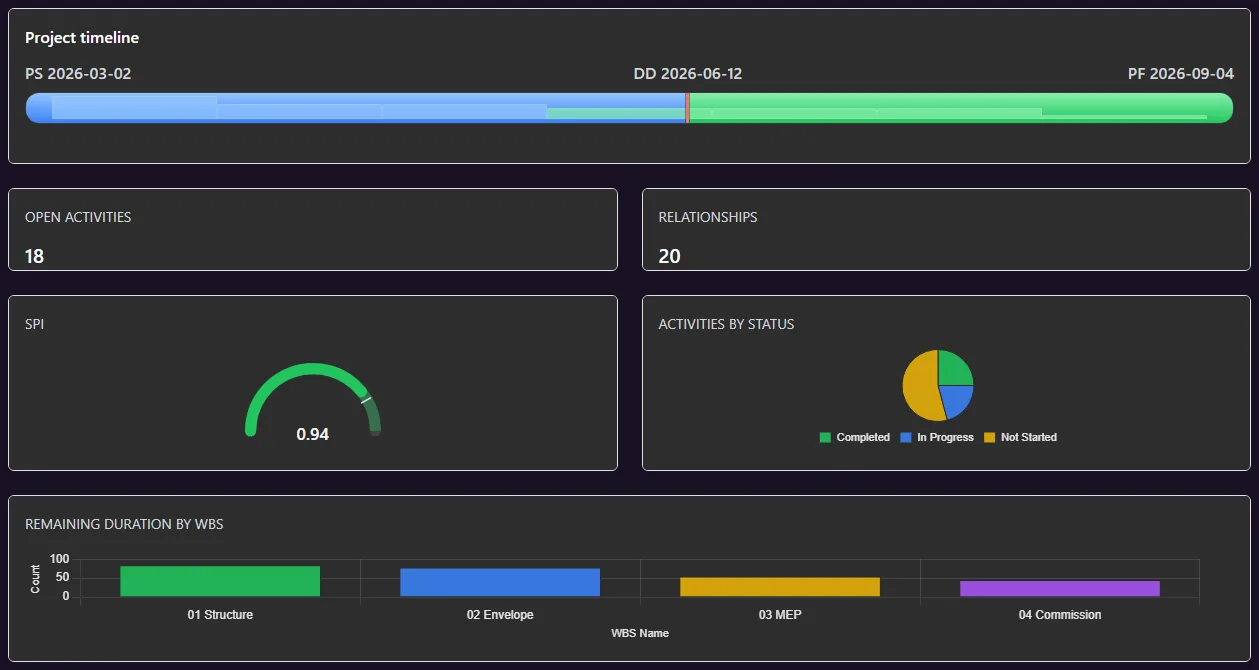
Executive boards are built from live schedule metrics—gauges, charts, heat maps, timelines—then drilled into the activities that move the number. Pages stay with the project so the monthly board is not rebuilt from scratch.

  • SPI, CPI, remaining duration, and milestone slip as gauge or metric cards.
  • Bar, pie, scatter, radial, and heatmap modules on a saved layout.
  • Click a slice or bar to filter the same activities on the Gantt.
ConstructOS · Dashboard · Harbor Terminal
Dashboard

02 / Visualize · Gantt

The live Activities Gantt—not a picture of one.

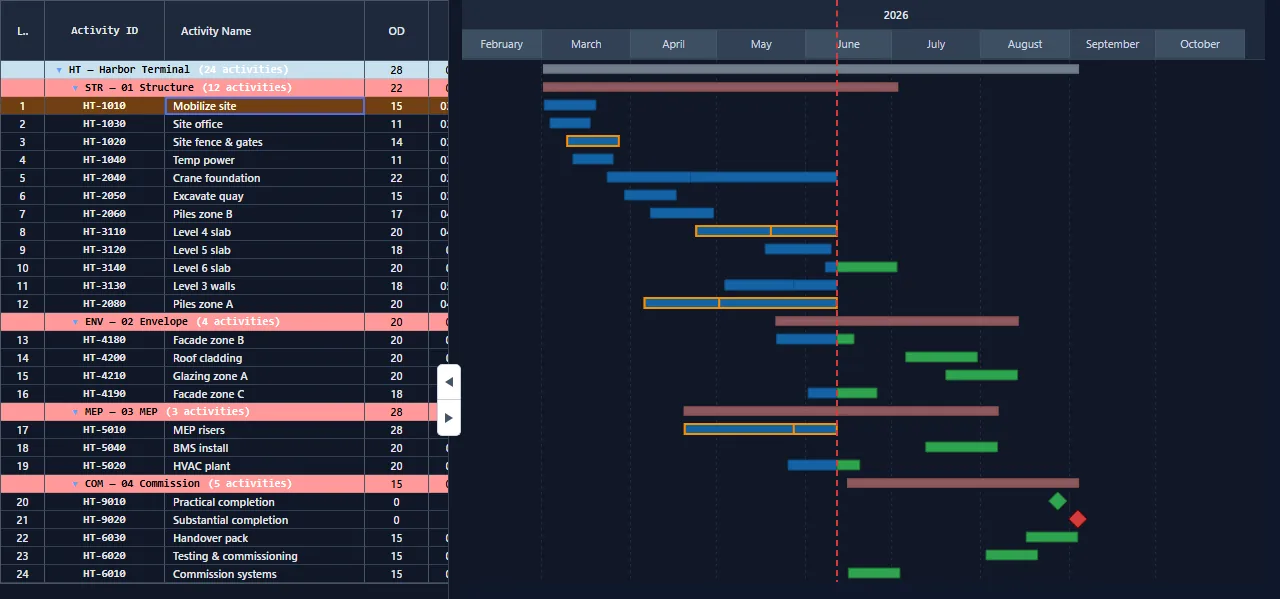
Table plus chart, saved layouts, WBS grouping, up to three baselines, and F9 on a working copy. Print or PDF the view already on screen. Relationships, float, and progress stay attached to Activity IDs.

  • Critical bars, baseline ghosts, and a data-date line you can status against.
  • Group, filter, and store layouts the way the monthly pack is issued.
  • Edit on a working copy—what-if without touching the imported source.
Activities · Harbor Terminal — Package 3
Activities Gantt

02 / Visualize · Network

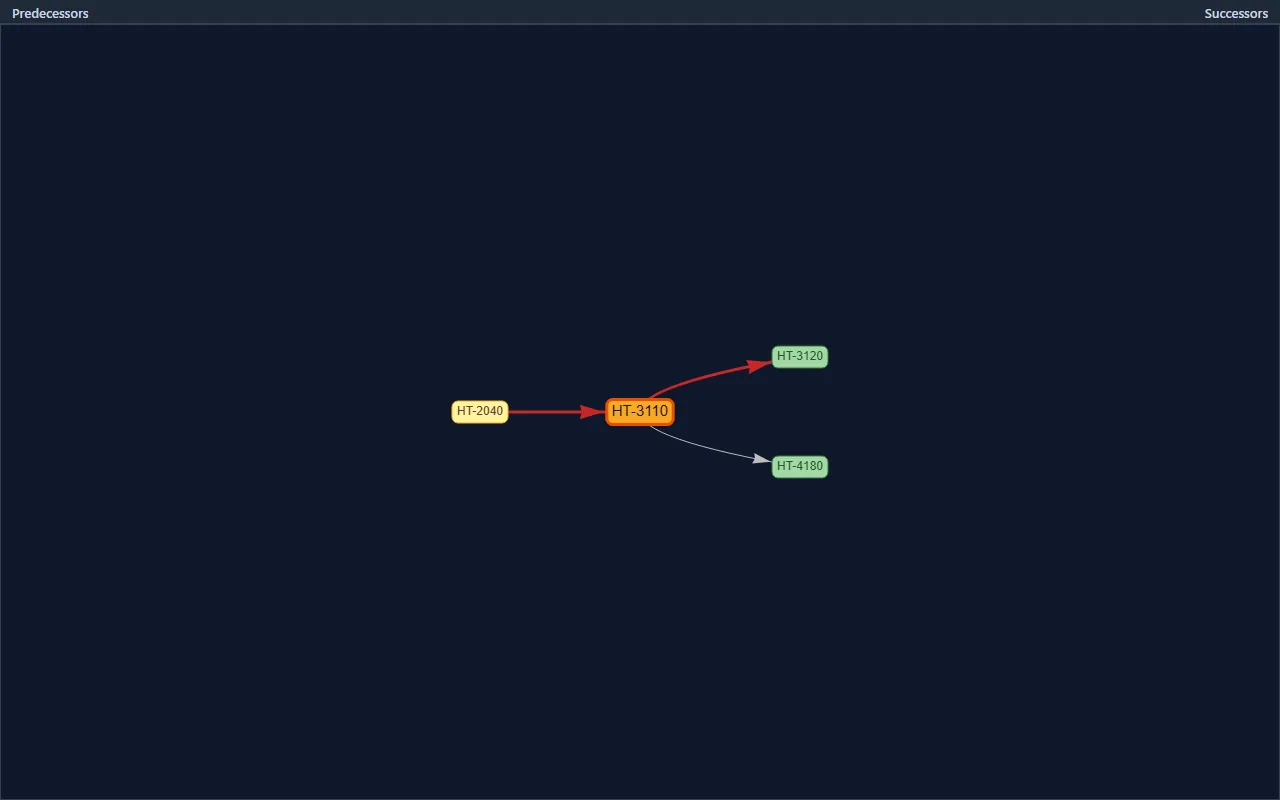
Predecessors left. Successors right. The selected activity in the middle.

Network view is a relationship diagram for the row you pick—not a spaghetti plot of the whole job. Click an activity in the table; ConstructOS draws its driving preds, the node, and who it feeds, with FS / SS / FF / SF and lag on the edges.

  • Built for the selected Activity ID and its immediate logic.
  • Lag and relationship type sit on the link—identity is pred | succ | type.
  • Jump from a node back to the same row on the Gantt.
Network · HT-3110 Level 4 slab
Network view

02 / Visualize · 2D Radar

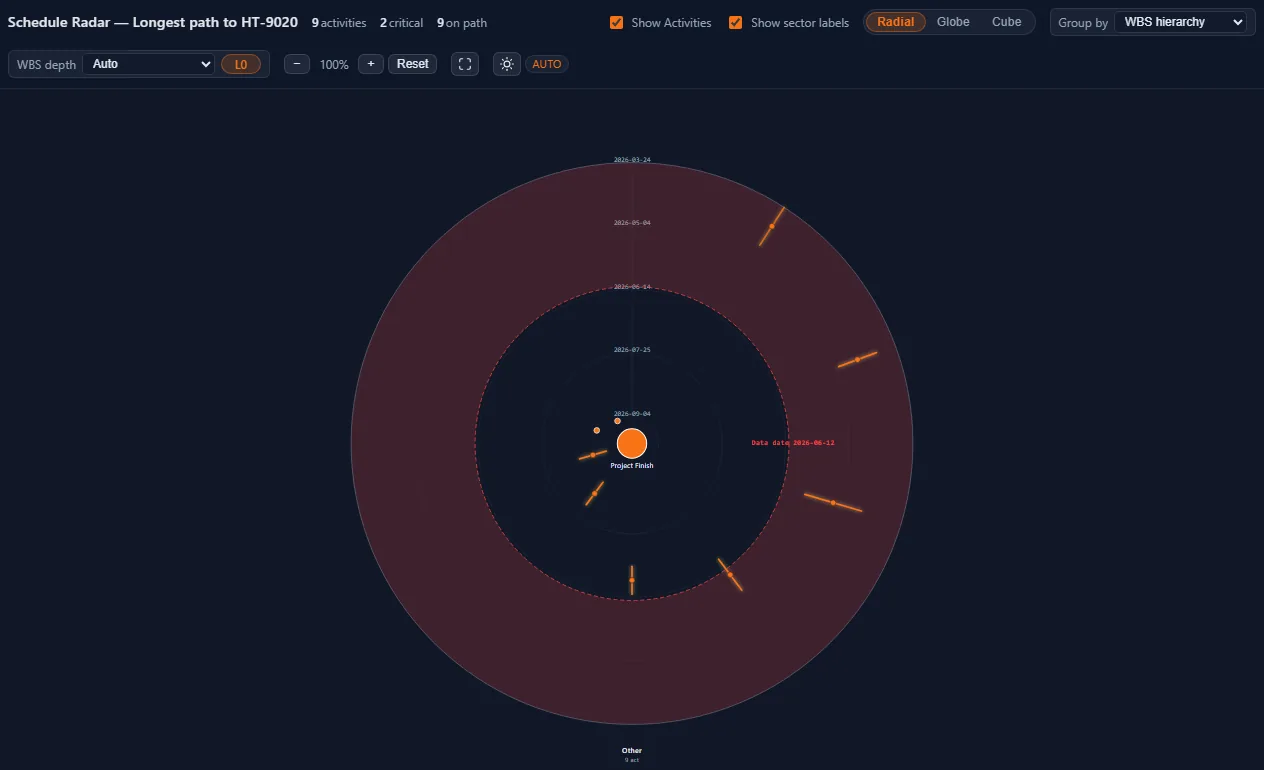
The 2D radial: selected activity at the center.

Schedule Radar’s radial view keeps the same driving or longest path you already computed. Date rings go out from the project start. Sector wedges are WBS, status, or type. Click a tick and the Gantt follows that Activity ID.

  • Same path filter as the Gantt—Radar only draws those task codes.
  • Group by WBS, status, or type without a second schedule.
  • Switch Radial / Globe / Cube on the same model.
Schedule Radar · radial · Harbor Terminal
Schedule Radar 2D

02 / Visualize · 3D Radar

Schedule Radar: radial, globe, and cube.

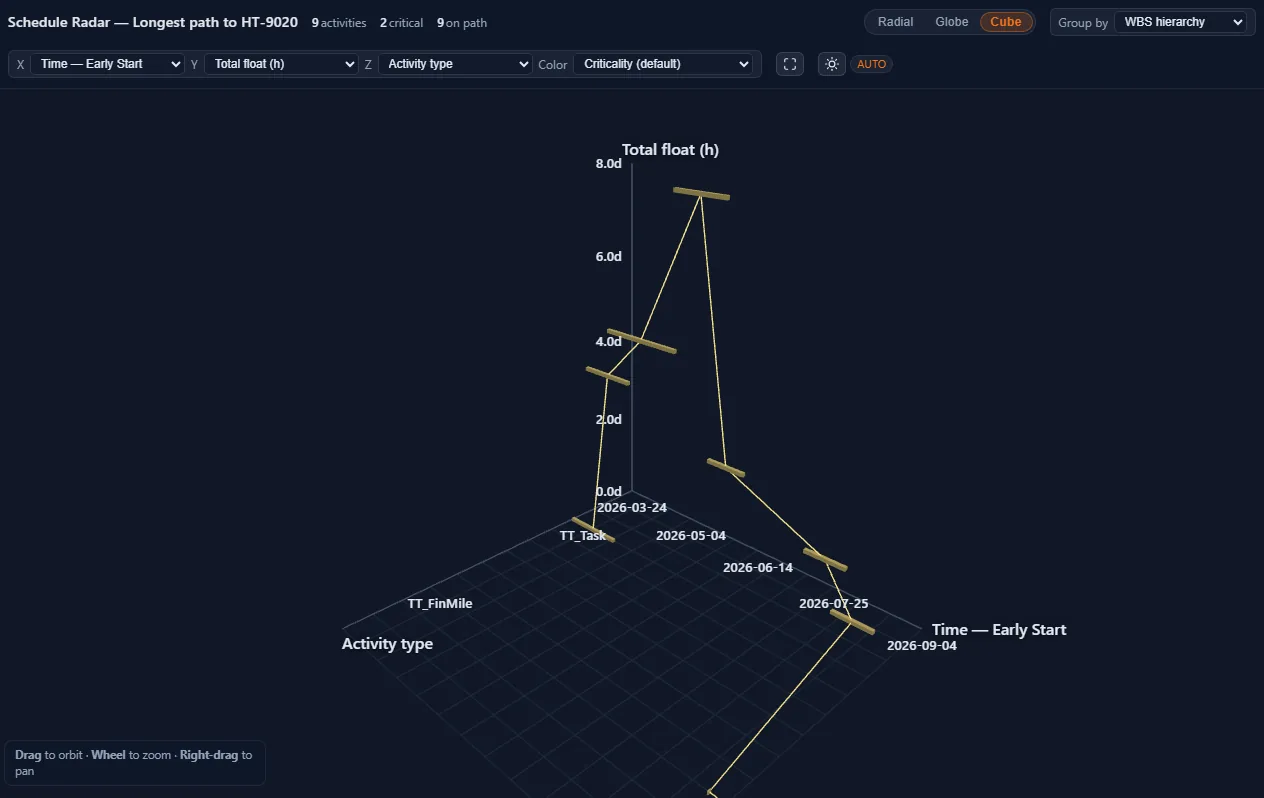
When a Gantt is too flat for a driving path, Schedule Radar lifts the same activities into space. Radial keeps the selected activity at the center. Globe orbits the path. Cube stacks WBS as a 3D cluster you can turn in the meeting.

  • Same path filter as float-path or longest-path—Radar only draws those task codes.
  • 2D / Globe / Cube are view modes, not a second schedule.
  • Pick a node and the Gantt table follows that Activity ID.
Schedule Radar · driving path
Schedule Radar

02 / Visualize · Animator

Play the longest path like a film.

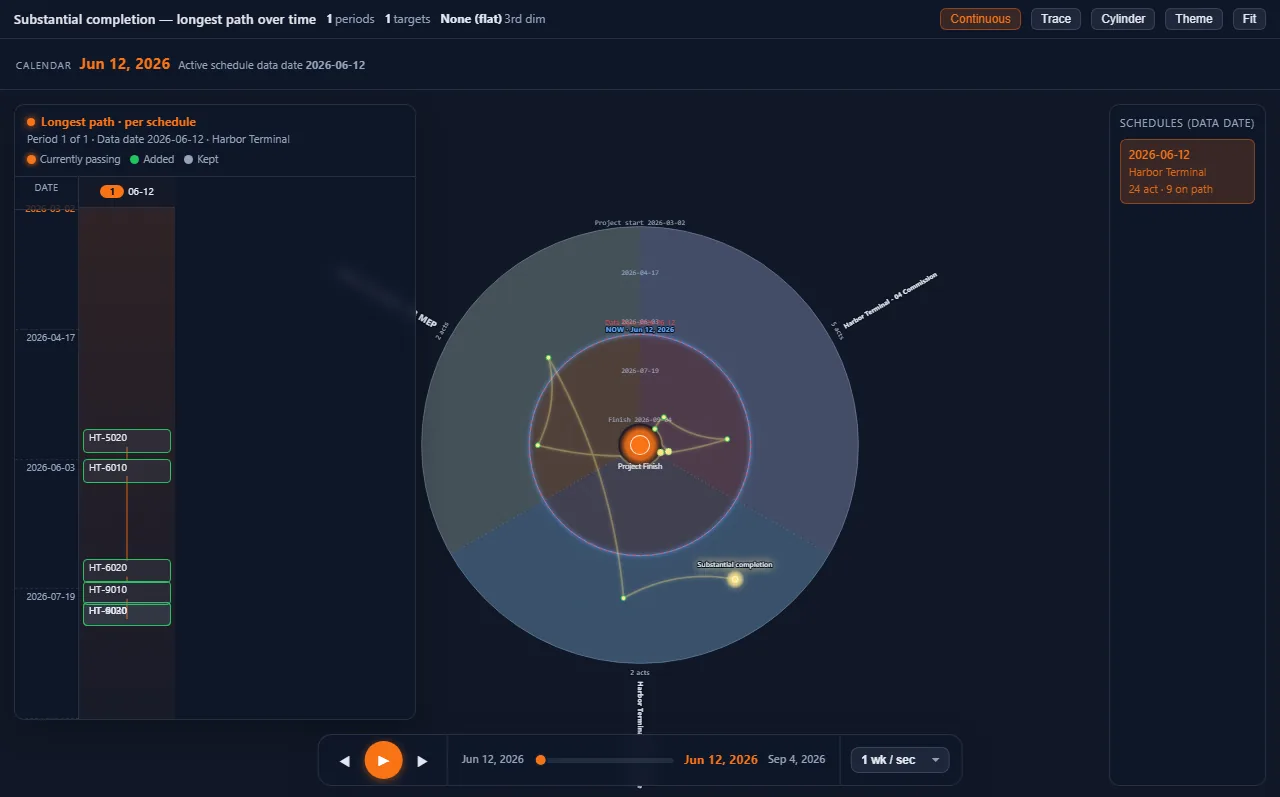
Schedule Animator walks the comet down the driving path while the data date ticks. Stakeholders see which activity is live this week—not a static bar chart they have to decode. Pause, scrub, and jump to any Activity ID on the path.

  • Comet follows the longest or driving path you already computed.
  • Date ticker and playhead stay locked to the project calendar.
  • Built for the room: play once, then drop into the live Gantt.
Schedule Animator · Harbor Terminal
Schedule Animator

03 / Analyze · Reports

Health, DCMA 14, comparison, and performance—before the meeting.

Assurance reports run on the imported model. Schedule Health scores logic and density. DCMA 14 walks the fourteen-point checklist. Comparison shows what moved versus the last update or a baseline. Schedule Performance rolls SPI-style slip across the period.

  • Health: missing logic, long durations, high float, constraints.
  • DCMA 14: leads, lags, FS ratio, hard constraints, invalid dates, missed activities.
  • Comparison matches on Activity ID so a fresh XER export still diffs cleanly.

03 / Analyze · Float paths

Driving, longest, and float paths to the activities that matter.

Pick up to a handful of Activity IDs. ConstructOS builds driving path, longest path, and float-path variants as tabs. Completed work is skipped. Paths stay inside one parsed XER—joins use task_id there—then you compare the same codes against a baseline file.

  • Driving path to a milestone, or float paths between two codes.
  • Variant tabs when more than one linking path exists.
  • Result subset on the Gantt so the room is not staring at 8,000 rows.

03 / Analyze · Statussing

Fold field progress in. Leave scope revisions out.

Import 2–10 period XERs. Statussing sorts them by data date, then for each pair copies P0 and applies only P1 progress—Actual Start, Actual Finish, reduced remaining duration—then reschedules on P0’s calendars and logic. The output is a clean statussed XER: progress only, no silent scope edits.

  • P0 on the left, P1 on the right. Statussing copies P0, then folds in only P1 progress.
  • P0 vs statussed is progress only. Statussed vs P1 is revision only.
  • Schedule Update Excel in/out when the field team does not have P6.
Statussing · P0 / Statussed / P1
P0 Harbor_P0.xer 28 Feb 26
  • HT-1010 Mobilize NS
  • HT-2040 Crane found. NS · OD 22
  • HT-3110 L4 slab NS · OD 20
Statussed Harbor_statussed.xer progress only
  • HT-1010 Mobilize Done
  • HT-2040 Crane found. IP · AS · RD 8
  • HT-3110 L4 slab NS · OD 20
P1 Harbor_P1.xer 31 Mar 26
  • HT-1010 Mobilize Done
  • HT-2040 Crane found. IP · AS · RD 8
  • HT-3110 L4 slab NS · OD 24
  • HT-4180 Facade B added
P0 vs Statussed Progress only
  • HT-1010 NS → Completed
  • HT-2040 NS → IP, Actual Start, RD 22→8
Statussed vs P1 Revision only
  • HT-3110 OD 20 → 24
  • HT-4180 added in P1

03 / Analyze · Report Master

Write the memo on the same model as the Gantt.

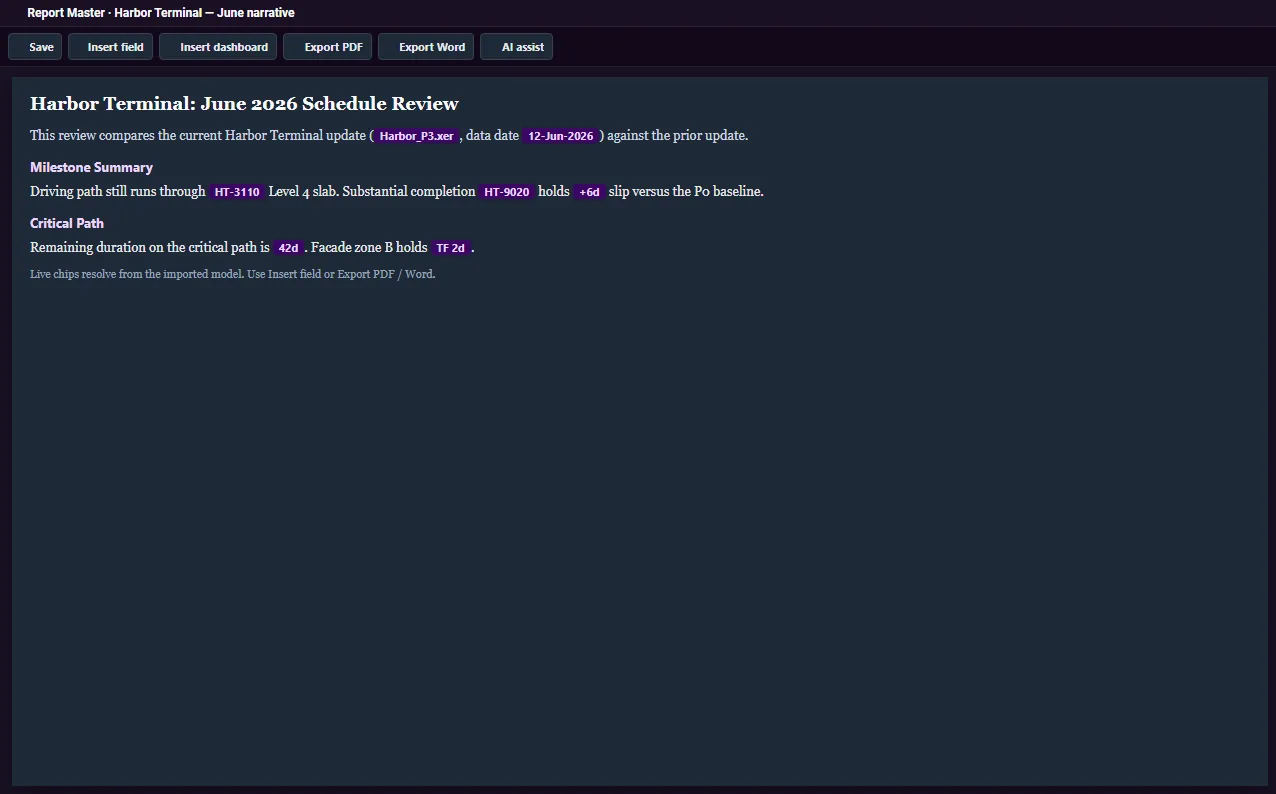
Report Master is a narrative editor with live WBS and field chips. Drop a WBS name chip, remaining duration, or a dashboard module into the page, then export PDF or DOCX. Optional AI assist drafts against the open schedule—not a blank page.

  • Field chips resolve from the imported project, not typed placeholders.
  • Embed a dashboard chart next to the paragraph that explains it.
  • Save .xerreport locally or in the 100 MB cloud quota.
Report Master · June narrative
Report Master

03 / Analyze · Pivot Studio

Pivot activities and relationships across periods.

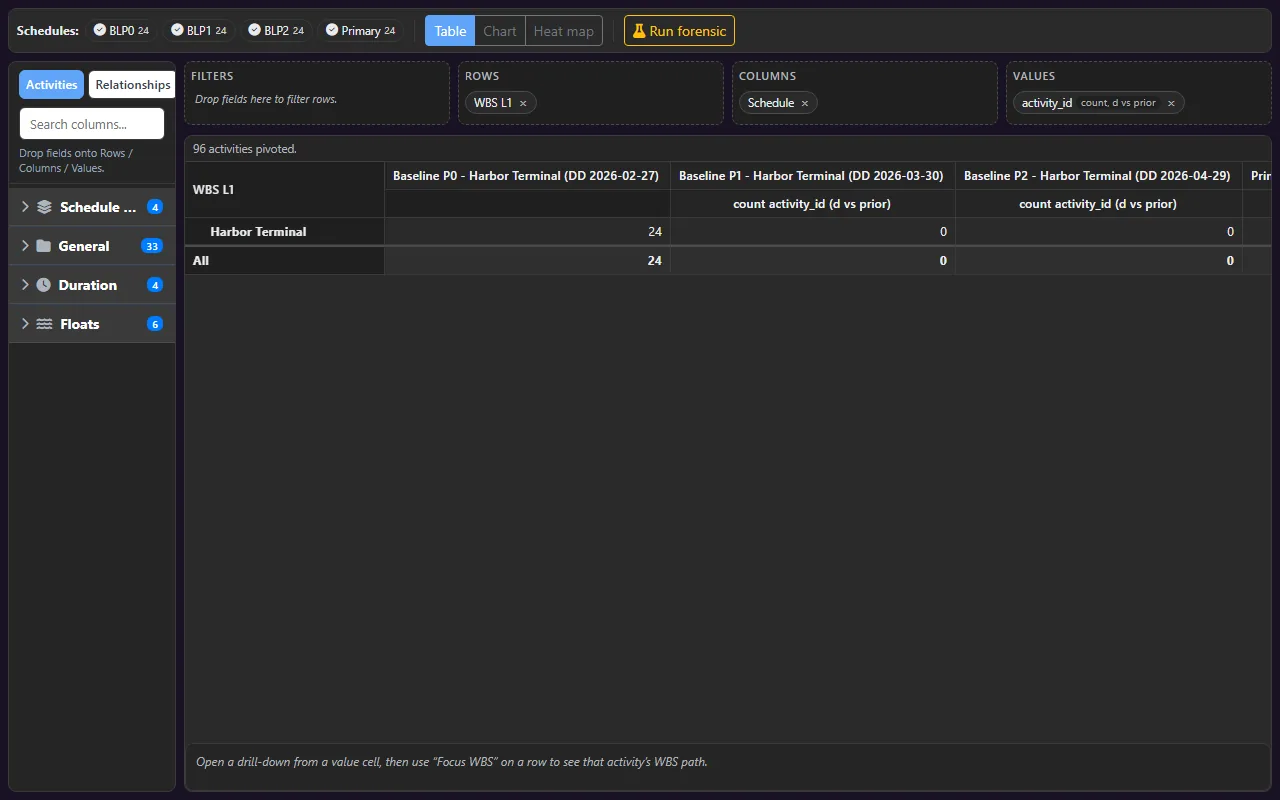
Pivot Studio is the forensic table: rows as WBS or activity code, columns as update period, values as remaining duration, start slip, or relationship count. Heat maps show where the job thickened. Progress-versus-revision views separate status from scope change.

  • Cross periods on Activity ID so copies of the same project still align.
  • Heat map, chart, and grid from the same pivot.
  • Claims work: what moved because of progress, versus what was revised.
Pivot Studio · Remaining duration by WBS
Pivot Studio

04 / Deliver

The monthly pack, batched—not rebuilt.

Excel Gantts with saved views, print/PDF of the on-screen layout, Report Master narratives, and Automate workflows of up to twenty steps. Same workspace that imported the XER is the one that issues the pack.

  • Batch up to ten Excel workbooks from stored views.
  • Chain health, comparison, print, and a PDF memo in Automate.
  • Branded headers so the file looks like the company, not a dump.
Excel Gantt · Harbor Terminal — Lookahead
Excel Gantt preview

Simple, transparent pricing

Same full workspace on every plan. Yearly includes two months free.

Monthly

Billed every month. Cancel anytime.

6 individual logins. Billed every month.

$29.99 USD/month
$89.99 USD/month
  • 6 individual logins, one invoice
  • Full ConstructOS workspace
  • Unlimited Excel, print, and reports
  • CPM, dashboards, and reports included
  • See complete features